Line Drawing

Line Crossing Detection

Eliminate false alarms from irrelevant background noise.
Draw the boundaries you want enforced.
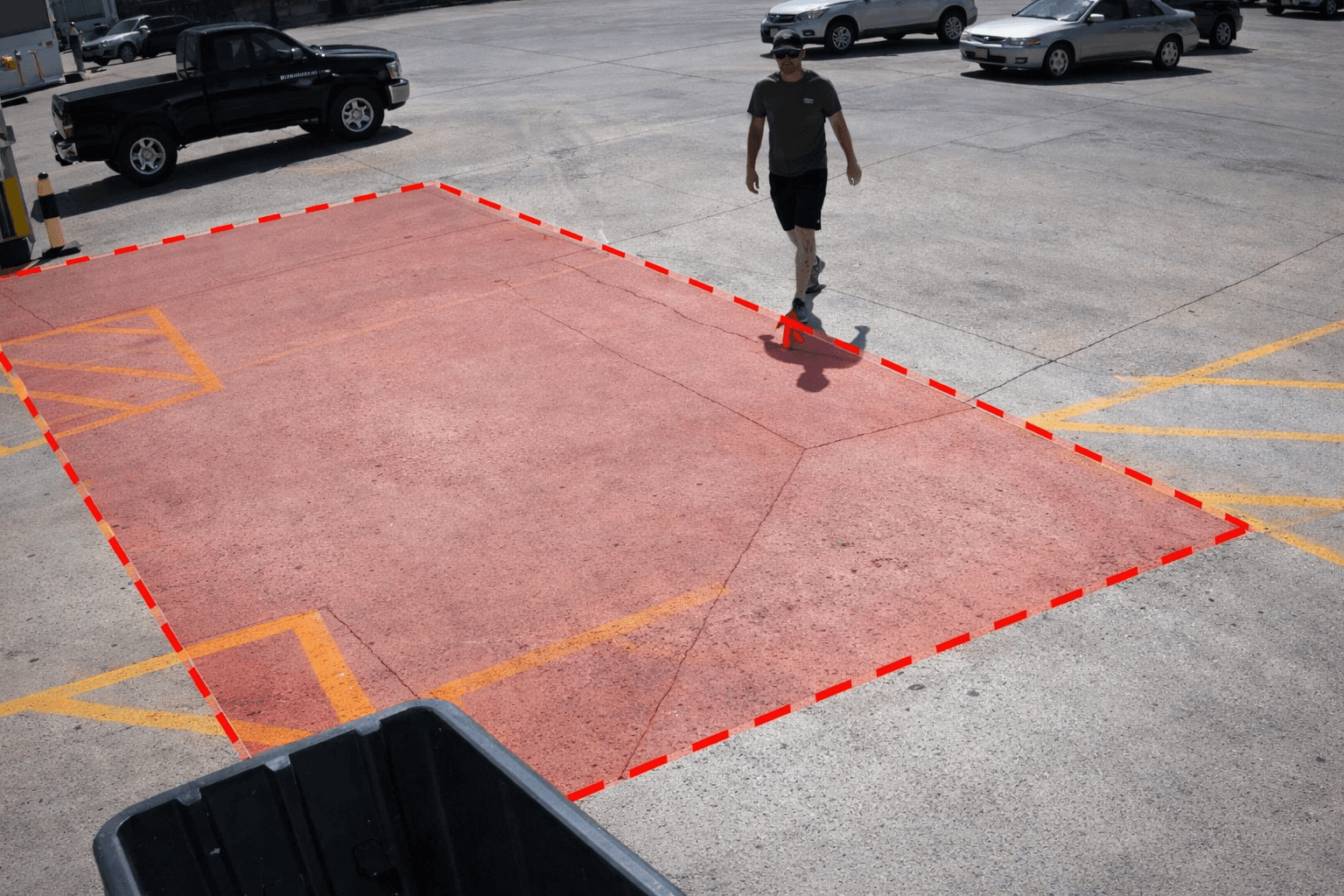
Line Crossing Detection

Directional alerts for the boundaries that matter.

Ojo AI lets you draw virtual lines on your existing camera feeds so your team gets alerted when people or vehicles cross into restricted areas, move the wrong way, or trigger a true boundary event instead of another generic motion alert.

Restricted Zones
Line Drawing
Directional Awareness
What it is

Ojo AI watches for people and objects that cross the virtual lines you draw on your camera view.

What it solves

Alert fatigue from useless motion alerts that waste time and slow down response.

Best use

Perimeters, gates, corridors, docks, and restricted areas.

Upload line crossing PNG
AI Detection
Virtual Boundaries
Eliminate Noise
Why buyers care

Cleaner alerts. Clear direction. Faster action.

Line crossing detection helps security teams ignore normal movement and focus on the movement that actually matters.

Cuts background noise

Eliminate alerts from normal movement so your team can focus on real security incidents.

Understands direction

Can be customized to only alert when someone crosses in a specific direction (entry vs. exit).

Protects restricted zones

Draw virtual lines around gates, yards, hallways, doors, and other sensitive areas.

Speeds up response

Security gets a cleaner event with clear camera context, so response starts sooner.

How it works

Draw a line, choose the direction, and get alerted when someone crosses it.

This feature creates a virtual boundary on the live camera view. When a person or vehicle crosses that line in the chosen direction, Ojo AI sends a focused alert instead of a generic motion event.

01

Draw the boundary

Place a virtual line across the gate, hallway, driveway, fence edge, or zone you want to protect.

02

Set the direction

Choose whether you care about movement going in, going out, or the wrong way.

03

Review cleaner alerts

Your team gets a more useful event with less noise, so they can verify and respond faster.

Where it performs best

Made for real-world security workflows

Use it anywhere a clear boundary matters and normal movement should not trigger the same response.

Perimeter entry

Know when a person or vehicle crosses inward across a fence line or exterior boundary.

Wrong-way traffic

Flag vehicles entering through exit lanes or moving the wrong way in controlled areas.

Staff-only access

Watch doors, corridors, loading areas, and equipment zones that should stay restricted.

After-hours movement

Spot activity in yards, docks, and walkways when movement should not be happening.

Simple ROI

Less time spent chasing noise. More time spent on real threats.

Without line crossing detection

Teams get buried in motion alerts.
Routine traffic looks like a security event.
Wrong-way entry can be missed in busy scenes.
Operators waste time reviewing irrelevant clips.

With Ojo AI

Security teams can focus on preventing real incidents.
Direction helps filter out normal movement.
Restricted zones are easier to protect.
Security teams can verify and escalate faster.

FAQ

Everything you need to know

Quick answers to the questions we hear most.

How much does Ojo AI actually save?

Customers can significantly reduce monitoring costs, wasted guard time, and avoidable loss by using the cameras they already have. Because Ojo AI works on top of existing hardware, there is no large upfront rip-and-replace project, just software that can pay for itself quickly.

What cameras do you support?

Ojo AI works with existing camera environments and is designed to fit into the systems customers already have. See our Integrations page for supported platforms and deployment details.

How long does deployment take?

Ojo AI is built for fast rollout without heavy on-site lift. Because there is no new hardware to install in most deployments, teams can start with priority cameras quickly and expand from there with minimal disruption.

What happens when Ojo AI finds a real threat?

Ojo AI can trigger immediate deterrence actions such as voice warnings and lights, then route the event to the right people with clear context. If human review or response is needed, the alert can be escalated to your team, monitoring partner, or on-site security, with a full incident record included.

Will this replace our security guards?

No. Ojo AI handles the repetitive monitoring work that slows teams down, while guards and security staff stay focused on presence, judgment, customer interaction, and response.

Is this going to create more work?

No. Ojo AI is built to reduce manual footage review, cut noise, and make incidents easier to understand. Instead of wasting time scrubbing video and piecing reports together, teams get clearer alerts and a faster path to action.

Ready to see results?

Watch our Autonomous Guarding in action

© All right reserved

© All right reserved